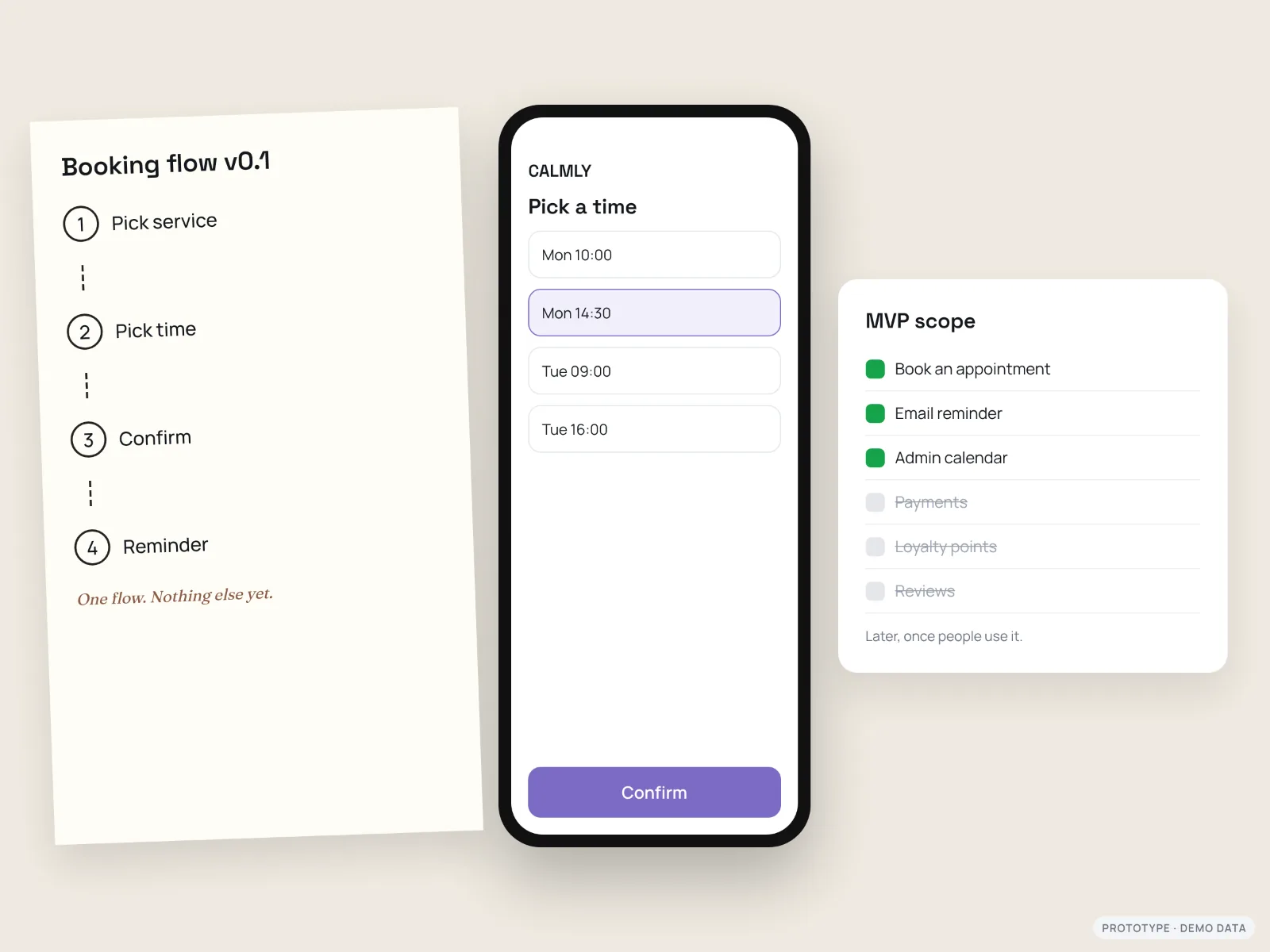
An MVP is one core journey finished properly, plus the unglamorous parts real users need: sign-in, admin, error states, measurement and privacy.
An MVP is often described as a cheaper version of the full product. It is better understood as an experiment: what is the one thing we need to learn, and what is the least we can build to learn it?
Write down the assumption
Before any screen is designed, write one sentence: we believe this user will do this action because of this reason. Example: CALMLY assumed that clinic patients would book a session online if they could see real availability and confirm in under a minute.
One core journey, finished properly
Pick the single journey that proves value, such as placing an order or booking a slot, and make it work end to end. Half-built features around it add noise to what you are trying to learn.
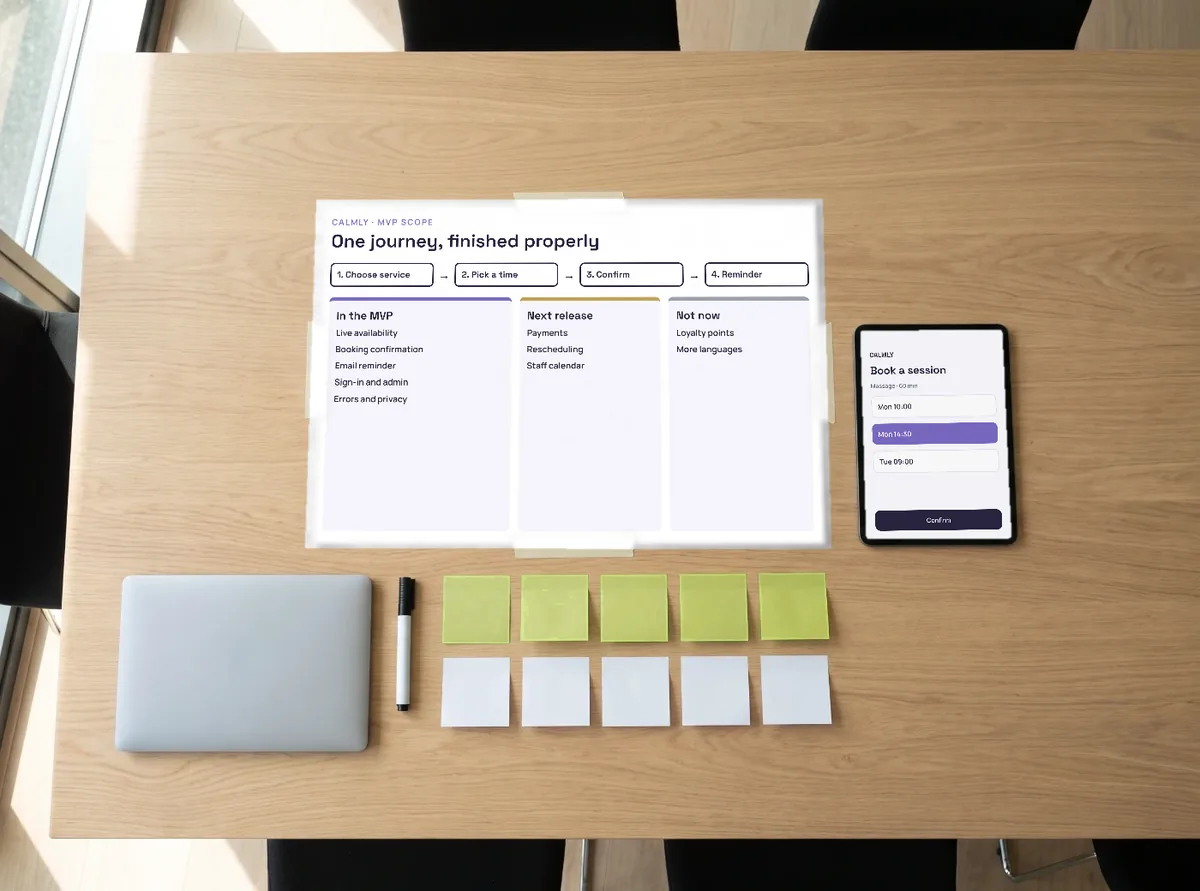
For CALMLY that journey was: choose a service, choose a time, confirm, receive a reminder. Nothing else was built until it worked.
The parts people forget
Sign-in and roles, basic admin tools, error states, a way to measure usage, and a privacy notice. None of these are exciting, and all of them decide whether real users can use the product at all.
What stays out
Edge-case automation, multiple languages before you know your market, and integrations nobody has asked for yet. Write them on the roadmap instead, with the reason they were postponed.
Plan the release, not just the build
Release to a small group first, watch the core journey, fix what breaks, then widen access. A short rollout note that lists what is live, what is measured and who to contact is part of the MVP.
Start with a short planning phase: a written specification and a realistic estimate are worth more than a fast start in the wrong direction.

Key takeaways
- Write down the one assumption the MVP must test.
- Finish one journey end to end before adding features.
- Budget for admin, errors, analytics and privacy.
- Move everything else to the roadmap.
All brands in the examples are fictional DUNIZAI concepts, created for illustration.